

Running a self storage business isn’t hard like coal mining is hard, but it’s got its own flavor of exhausting. It’s a steady drip of phone calls, bolt cutters, forgotten PINs, and paper trails that feel more like scavenger hunts. The good news? You don’t have to live like that anymore. The better news? You don’t need to be a Silicon Valley startup to get the benefits. You just need proper self storage technology.
Here are 11 self storage tech features that can smooth out the wrinkles in your day, lighten the mental load, and maybe even let you take a lunch break without having to answer tenant questions. We’ll shoot straight: what they do well, and where they might make you curse under your breath.
1. Keyless entry systems
You know what’s great? Not getting calls at 9:13 p.m. from someone who “just forgot the gate code real quick.” Keyless entry systems — via app, Bluetooth fob, keypad, or even fingerprint — let tenants come and go without a jangling ring of keys or a sticky sliding bolt. And for you? It means fewer manual overrides and more detailed logs of who did what, when.
Why it works:
- Tenants feel in control (and that makes them happier).
- Cleaner logs = better security.
- Syncs with payment systems for auto-lockout on missed rent.
Heads up:
- Retrofitting isn’t cheap.
- You’ll still play tech support sometimes (“Did you turn on your Bluetooth, Carol?”).
- Always, always have a backup plan. Batteries die. Wi-Fi goes on vacation.
Costs:
- Basic keypad entry systems: $300–$700 per door; for a medium facility (4 doors), $1,200–$2,800 total.
- Advanced smart entry (mobile, Bluetooth, app): $1,000–$5,000+ per system, depending on complexity and features.
- Full facility retrofits (large, multi-unit): $50,000–$100,000+ for smart locks, remote monitoring, and app integration for a modern facility.
2. Online payments
It shouldn’t take more effort to pay rent than it does to order Thai food. Online payments let your tenants handle things through a portal or auto-pay — fast, simple, done. And the easier it is to pay you, the faster they do it.
Why it works:
- Less chasing people for money.
- More predictable cash flow.
- Digital paper trail, which is way better than actual paper.
Heads up:
- Credit card fees can nibble at your margins.
- Security is table stakes. PCI compliance isn’t a “nice to have.”
- Offer options: not everyone lives in Visa-land. ACH, PayPal, Apple Pay — meet people where they swipe.
Costs:
- Basic keypad entry systems: $300–$700 per door; for a medium facility (4 doors), $1,200–$2,800 total.
- Advanced smart entry (mobile, Bluetooth, app): $1,000–$5,000+ per system, depending on complexity and features.
- Full facility retrofits (large, multi-unit): $50,000–$100,000+ for smart locks, remote monitoring, and app integration for a modern facility.
3. Property Management Software (PMS)
Running a storage facility without property management software is like trying to juggle flaming torches while riding a unicycle — technically possible, but not recommended.
Today’s PMS tools do more than just track who owes what. They’re your control panel, your second brain, your behind-the-scenes assistant that never takes a sick day. Platforms like Yardi Breeze for Storage and Yardi Matrix Storage Manager bundle all the essentials into one clean dashboard — billing, rent collection, unit availability, reporting, tenant communication — all of it, all in one place.
Why it works:
- Automates the boring stuff (rent reminders, late fees, payment tracking).
- Gives tenants self-serve options to pay online, update info, or check account status.
- Lets you work from anywhere — beach, couch, or back office.
- Keeps everything organized, which keeps your stress levels down.
- Built-in reporting makes taxes, audits, and business decisions easier.
- Fewer errors = fewer angry calls from tenants.
- Integrates with security and access systems for even more control.
Heads up:
- These tools are only as good as your team’s willingness to use them right. Train well.
- Automation helps, but you still need to log in and pay attention.
Costs:
- Yardi Breeze: Requires a conversation with you to determine the right pricing.
- Other vendors: Starter plans from $40–$100/month; larger facilities may pay $100–$500/month or more, depending on features and users.
- Setup/training: One-time fees of $100–$500 possible for onboarding and training.
4. Smart access via mobile apps
People live on their phones — you might as well meet them there. Mobile apps let tenants open gates, check balances, and manage payments without ever calling you. Some even let you chat, send updates, or share documents.
Why it works:
- Reduces walk-ins for things like gate code help.
- Tenants can help themselves at 2 a.m. without waking you.
- Younger renters expect this. (And older ones might surprise you.)
Heads up:
- Not everyone loves new apps. Expect questions.
- Privacy laws matter. Your app provider should know what CCPA means.
- Clear support docs (and maybe a 3-minute tutorial video) go a long way.
Costs:
- Often bundled with keyless entry or PMS; no separate fee for tenants using the app.
- Custom app development: $40,000–$80,000 if building your own branded solution.
- App integration with access systems: Typically included in higher-end access control setups.
5. Automated communication
Some messages you need to write by hand — eviction notices, apologies, delicate stuff. But most of what you send? Reminders. Confirmations. “Hey, your payment cleared.” That’s where automation shines.
Why it works:
- Saves hours of repetitive outreach.
- Keeps tenants informed (and lowers call volume).
- Improves service without adding labor.
Heads up:
- Don’t overdo it — no one likes a spammy landlord.
- Personalize where you can. “Hi, John” beats “Dear Tenant.”
- Opt-outs are essential for anything not mission-critical.
Costs:
- Standalone communication platforms: $79–$199/month, depending on features and scale.
- Integrated in PMS: Often included at no extra charge, though advanced AI-powered solutions may cost more.
6. Digital surveillance
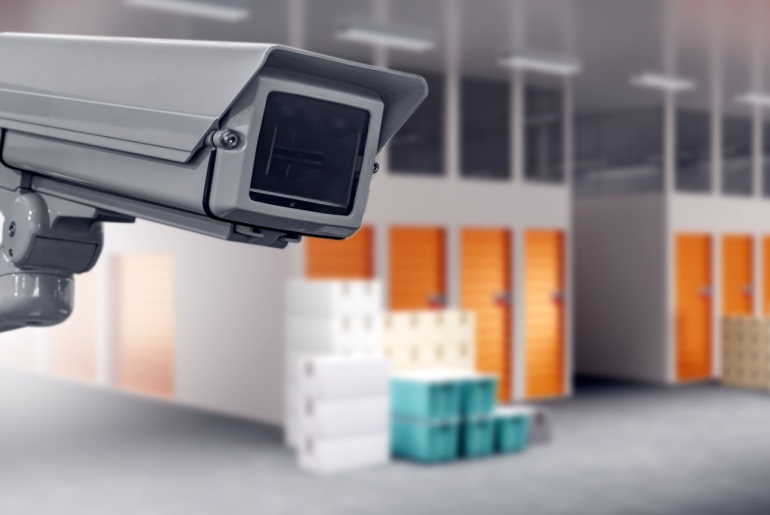
Once upon a time, cameras were there to catch the guy in the hoodie climbing the fence at 3 a.m. Now? They’re your always-on, never-sleeping assistant — part watchdog, part reassurance blanket, part data goldmine.
Today’s surveillance systems are smarter than a bored teenager with time on their hands. Think: motion detection, night vision, cloud storage, AI that spots weird patterns before you even know there’s something weird to spot. And for tenants storing pricey equipment, inventory, or sentimental treasures, it sends a clear signal: “We’ve got eyes on your stuff. Constantly.”
Why it works:
- Deters the troublemakers and calms the worriers.
- Documents damage or disputes in crystal-clear HD.
- Makes you look professional, not paranoid.
Heads up:
- Privacy rules are real. You can’t just mount cameras willy-nilly. Bathrooms? Off-limits. Inside units? Hard no.
- Gear fails. Cameras blur, lenses fog, systems crash. Regular maintenance isn’t optional.
- AI isn’t perfect. Prepare for alerts about shadows, spiders, or that one raccoon who moonlights as a cat burglar.
Costs:
- Cameras: $100–$400 per camera for self storage grade (installation included).
- Alarms/door sensors: $50–$250 per door.
- AI-powered surveillance: $30,000–$70,000 for full-facility installs, including cameras, alarms, and monitoring.
- Cloud storage for video: $3–$15/month per camera (optional).
7. Online rental sites
Imagine someone lying in bed at 11:48 p.m., half-asleep, phone in hand, looking for storage. Now imagine them clicking “rent now,” signing digitally, and getting a confirmation email before their tea goes cold. That’s the future — and it’s not even the future anymore. It’s now.
Your website should do more than exist. It should sell. Great rental platforms like StorageCafe let tenants browse, reserve, ID-verify, e-sign, and pay in one smooth motion — without needing to call anyone.
Why it works:
- You’re open for business, even when you’re not physically open.
- Cuts down on phone calls and office visits.
- First impressions matter — a clean site builds instant trust.
Heads up:
- SEO is your visibility cloak. No Google juice? No traffic.
- Bad design kills trust. If your site’s clunky or slow, people bail.
- Accessibility isn’t just nice — it’s required. Make sure your site works for everyone, not just the fully-abled and tech-savvy.
Costs:
- Setup fee: $3,000–$5,000 one-time for a custom self storage website with online leasing.
- Monthly fee: $44/month base + $1/unit/month (e.g., 50 units = $94/month).
- Included with PMS: Some PMS providers include basic online rental portals at no extra charge.
8. IoT monitoring
Behind the walls and above the drop ceiling, tiny sensors are doing big things. IoT (Internet of Things) devices can quietly monitor temperature, humidity, air quality around the clock — and flag issues before they cost you in claims or tenant rage.
This isn’t just about keeping grandma’s couch safe. It’s about protecting artwork, wine, electronics, medical files — the stuff that sweats if the AC quits at 2 p.m. in August.
Why it works:
- Prevents damage before it happens.
- Helps with insurance, especially if you’re premium-pricing climate-controlled units.
- Remote control = fewer drive-bys to check the thermostat.
Heads up:
- Sensors drift. Calibrate them regularly or the data’s junk.
- Have a clear alert plan. Who gets pinged at 2 a.m.? And what’s the plan when they do?
- Data storage matters. If a tenant asks, “What were the humidity levels last May?” — can you answer?
Costs:
- Sensors (temperature, humidity, leak): $50–$200 per unit/sensor.
- Cloud dashboard/monitoring: Often bundled with PMS or monitoring service; custom solutions may be $500–$2,000/year for software access.
- Full facility setup: $20,000–$50,000 for climate control systems in larger facilities.
9. Inventory tech
This one’s a bit niche — but when it fits, it really fits. RFID tags, barcode scanners, and cloud dashboards let tenants track what’s in their unit without opening a single box.
It’s a game-changer for ecommerce businesses, traveling consultants, snowbirds with too much gear — anyone who needs to know what’s where and when it moved.
Why it works:
- Gives business clients tools they actually need.
- Prevents “Hey, you lost my lamp” arguments.
- Makes your facility more than storage — it becomes a logistics partner.
Heads up:
- It’s not for everyone. Your average tenant storing old skis won’t care.
- Setup costs can be steep — and require infrastructure and staff training.
- Transparency is key. Some folks don’t like the idea of you “tracking” their stuff, even if you’re not.
Costs:
- RFID tags: $0.05–$0.50 per passive tag; $5–$50 for active tags.
- Barcode scanners/readers: $100–$500 each.
- Inventory management software: $20–$100/month for basic; $1,000–$5,000/month for enterprise-level systems.
- Setup/training: $800–$10,000+ depending on customization and integration.
10. Energy management
Here’s the quiet tech that deserves louder applause. Smart thermostats, motion-triggered LEDs, solar panels — they do two things at once: shrink your carbon footprint and trim your expenses.
The best systems automate climate control based on weather, occupancy, or even time of day. Lights turn off when no one’s around. Energy bills drop. Sustainability reports look impressive. Overall, green tech is part money-saver, part message: “We plan to be around a while — and we’re doing it right.”
Why it works:
- Reduces your biggest hidden cost: wasted energy.
- Attracts eco-minded renters and investors.
- Puts you on track for certifications and city incentives.
Heads up:
- ROI takes time. The first year might be underwhelming — the third year won’t be.
- Check for rebates. Cities love to give you money for going green.
- “Smart” means upkeep. These systems update, crash, and sometimes need new sensors. Stay on top of it.
Costs:
- LED lighting retrofit: $2,000–$10,000+ for a mid-size facility.
- Smart thermostats/climate control: $20,000–$50,000 for facility-wide installation.
- Solar panels: $50,000–$150,000+ depending on facility size and energy needs.
- Expected utility savings: 5%–15% of annual energy costs.
11. Self-service kiosks
Picture this: it’s Sunday afternoon, your office is closed, and someone’s standing outside ready to rent a unit. Do they wait until Monday? Nope. They walk up to a kiosk, tap a few buttons, sign the lease, pay, grab a lock, and move in — all without you having to roll out of bed. A kiosk is like an extra team member who never clocks out.
Why it works:
Keeps your doors “open” even when the lights are off.
Saves walk-ins from leaving when staff are busy.
A lifesaver for small facilities that can’t staff the desk full-time.
Heads up:
- Not everyone is a fan of talking to a screen — some folks will still want a human hello.
- Like any piece of tech, kiosks need the occasional update and reboot.
- Location matters: if it’s tucked in a corner, no one will notice it.
Costs:
- Hardware usually runs $3,000–$7,000.
- Many PMS platforms offer kiosk integrations, so you’re not reinventing the wheel.
- Expect ongoing software/service fees in the $50–$150/month range.
Frequently Asked Questions
1. Which system offers the best features for tracking storage unit availability?
Yardi Breeze for Storage does this really well. It gives you a clear dashboard where you can see, at a glance, which units are open, reserved, or about to be vacated. The big win? It updates in real time and syncs with your website, so customers browsing online see the same availability you do. That means no messy double-bookings, no awkward “sorry, it’s already rented” conversations, and a smoother experience for everyone.
2. Which storage unit software offers the strongest tools for tenant communication?
Again, Yardi Breeze is a standout. It keeps the basics simple — rent reminders, payment confirmations, late fee notices — but also gives you flexible options for email and text updates. The real benefit is that it cuts down on repetitive phone calls. Tenants get the nudge or update they need, and you save hours each month not having to chase people down. It feels more like steady, reliable communication than constant management.
3. Which mobile access solution is most popular among storage tenants?
These days, most renters expect to manage storage from their phone — just like they do with banking, shopping, or travel. The most popular “access” isn’t always through a gate keypad anymore, but through smooth mobile leasing platforms that let tenants browse, reserve, sign, and pay without picking up the phone.
For instance, at StorageCafe, we see renters using their phones for almost everything — searching, comparing, and ultimately securing a unit. That’s why we make it possible to handle the whole process online. For tenants, it feels natural and easy, like ordering dinner or booking a flight. For operators, it means fewer phone calls and smoother move-ins. In short, mobile access is the default way people want to rent storage, and we’ve built our platform around that reality.
Conclusion
Tech won’t do your job for you. But it’ll let you do more of the work that matters, and less of the stuff that doesn’t. The trick is in starting with what slows you down the most — and fixing that first.
Ask your team. Ask your tenants. Then ask yourself: Will this tool make life easier?
If the answer is “yes,” lean in.



How Self Storage Can Help Event Planners
When you attend a great event, you rarely think about the choreography happening behind the curtain or after the last guest leaves. Unless, of course, you’re an event planner — an industry that has grown 8.6% per year on average over the five years between 2020 and 2025. It shows no signs of slowing down either, as small businesses and event planners continue to carve out their place across America.

Most Fun Cities In The U.S.: Miami & Orlando Rule The Fun Access Map, While Phoenix Reveals A Growing Leisure Divide
Are Americans going out less, or just living in places that make going out harder?

Where to Donate Clothes in Houston
If you are sorting through your closet and none of your friends and relatives need your clothes, you may be wondering where to donate clothes in Houston, TX. Luckily, the city offers plenty of convenient options for clothes donations, all rooted in a strong culture of community giving. Your simple gesture will keep wearable items in circulation, reduce waste, and may directly support someone’s health and dignity by providing weather-appropriate, clean clothing.

Smart Cleaning Schedule Tips for a More Comfortable Home
Oftentimes we tend to think of cleaning as a single action, isolated on its own. A monotone task repeated over and over, mostly there to cut into our free time of binge-watching the latest Netflix series. But it’s far more interconnected than you might think.

Self Storage Software: 8 Benefits for Big and Small Businesses
Self storage software is how operators turn scattered tasks, spreadsheets, and disconnected tools into one coordinated system that’s easy to run and easy to grow. It’s a digital home for everything from move‑ins to accounting, so the entire operation becomes more consistent and more profitable. But before jumping in, operators should know what self storage software delivers in practice, plus where options for smaller and larger operators fit in.

Best States for Electric Vehicles (2026): The West Leads EV Adoption, North Carolina Speeds Up
Rising oil prices are hitting American households hard — and nowhere more than among the long-distance commuters who fled big cities during the pandemic in search of cheaper housing, only to trade rent savings for higher fuel costs. For that group — and for a growing number of cost-conscious drivers — the case for going electric has rarely been stronger.

How to Store Hats the Right Way
Growing up is realizing that there’s a wrong and a right way to store your hats. It’s up to you whether they stay sharp or end up crumpled, discolored, and linty. Back when hats were an everyday essential and travel didn’t involve A/C, leather hat boxes were such a hit that even panettone boxes borrowed their iconic design. So let’s honor the tradition and get serious about hat storage.

How to Store Pillows Long-Term Without Ruining Them
Pillows are one of those household items we don’t think much about until we pull one out of a closet and it smells stale, feels flat or looks oddly misshapen. Whether you’re rotating seasonal bedding, setting up a spare bedroom for guests, moving homes, or just trying to declutter, knowing how to store pillows properly makes a real difference.
How to Store Wine the Right Way for Long-Term Enjoyment
How to store wine properly depends on what you’re storing and how long you plan to keep it. A few bottles you’ll open soon don’t require the same conditions as wine meant to age for a year or more. The good news is that proper wine storage isn’t complicated. With a few simple adjustments, you can protect flavor, balance and aging potential. Whether you’re keeping a modest collection at home or exploring specialized self storage options, understanding the basics ensures your bottles remain in good condition until you’re ready to open them.