
How to Move a TV: The Right Way to Pack, Transport and Store Any Television

TVs rank among the most stressful items to move. They’re large, awkward to carry and one wrong move can leave you with a cracked screen or dead pixels. Modern LED, OLED, and QLED panels are significantly more fragile than the heavy TVs of the past. Their screens are thin, their internal components are delicate, and they’re designed to sit still on a stand, not ride in the back of a moving truck.
If you want to find out how to move a TV safely, our guide walks you through every stage: how to pack a TV, how to transport it safely, and how to store a TV if it won’t be going straight back into use.
What you’ll need before packing and moving a TV
Gather the right materials before you start so you don’t have to improvise and damage your TV because the moving box was not sturdy enough. Here’s what you need to have on hand:
- Original box (ideally, if you still have it). If not, get a TV moving box (adjustable models fit most screen sizes)
- Foam corner protectors
- Bubble wrap
- Packing paper
- Stretch wrap
- Packing tape
- Furniture blankets or moving pads
- Labels or a marker
If you’re unsure about box sizing, most moving supply stores and self storage facilities sell TV moving boxes in multiple sizes. Buying the right one is important, as an ill-fitting, too large box allows the TV to move around and provides much less protection than a snug one.
How to pack a TV for moving or storage
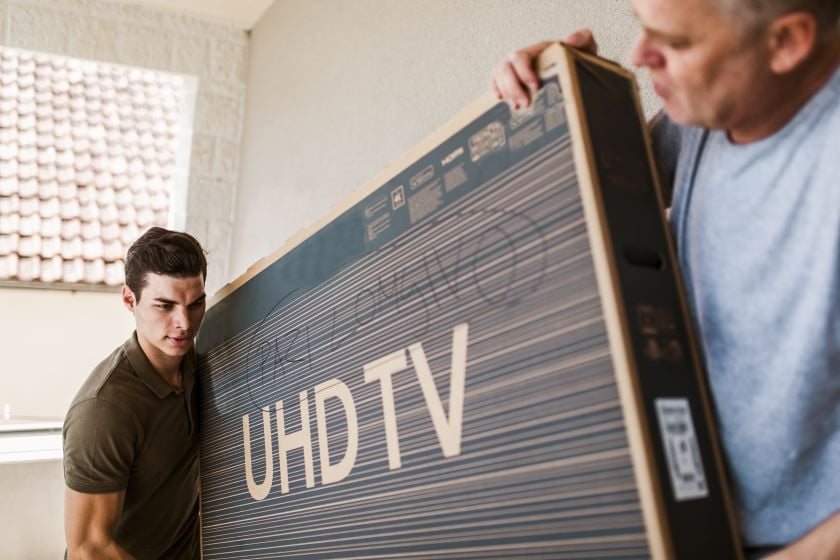
Packing a flat-screen TV correctly takes about 20 to 30 minutes when you have everything ready. Don’t rush it, as improper packing is one of the most common reasons screens get damaged in transit.
Step 1: Disconnect and photograph your cable connections
Before you touch anything, take a photo of the back of your TV with all cables still connected. This makes reconnecting at the other end much easier. Then unplug everything (power cable, HDMI leads, aerial cables, and anything else) and set them aside in a labelled bag or box.
Step 2: Remove the stand and any accessories
If your TV is on a freestanding base, remove and pack it separately. Most stands detach easily by removing a few screws. Transporting them separately prevents the stand from acting as a lever point if the TV shifts during the move. Pack remote controls, manuals and mounting hardware together in a small bag and tape it to the outside of the stand box.
Step 3: Clean the screen before packing
Wipe the screen gently with a dry microfiber cloth to remove dust. Small particles trapped beneath packing materials can scratch the panel surface during transit. Avoid any liquid cleaners unless specifically approved for your screen type.
Step 4: Protect the screen properly
This is where many people make potentially costly mistakes. Never place bubble wrap directly against the screen on an OLED or certain QLED televisions. The texture of the bubbles can leave impressions on the panel, and some anti-reflective coatings are sensitive to pressure.
The correct approach: lay a microfiber cloth or a flat foam sheet against the screen first, then wrap the whole TV in bubble wrap over that. Fit foam corner protectors onto each corner to absorb the impact from bumps and drops, which is where most moving damage originates.
Step 5: Pack the TV in its original box or an adjustable TV moving box
The original manufacturer’s box is the gold standard. It’s designed exactly for your model, includes custom foam inserts and is tested for the rigors of shipping. If you still have it, use it.
Slot the TV in with the original foam inserts in place, close the box, and seal it with packing tape along every seam. Give it a gentle shake — if you hear or feel movement inside, add crumpled packing paper to fill any gaps.
If you no longer have the original box, which probably is the case for most of us, get an adjustable TV moving box. These are sold by most moving and storage suppliers and are designed to telescope to fit screens from around 32 to 70+ inches. They’re a solid substitute for the original packaging and worth the few dollars extra cost.
DIY method: If you can’t source a purpose-made box, you can construct reasonable protection using two large cardboard boxes and foam padding. Place foam sheets on both the front and back of the wrapped TV, then sandwich it between the two boxes and tape the whole assembly securely. It’s not ideal, but it’s significantly better than no box at all.
Step 6: Label the box clearly
Write “FRAGILE” and “THIS SIDE UP” on the box in large, clear letters. Draw arrows indicating the correct upright orientation. It sounds obvious, but an unlabeled box is far more likely to end up on its side under a stack of heavier items, especially if you’re moving your entire home and family and friends or a moving company will help with loading and unloading the moving truck.
How to move a TV safely
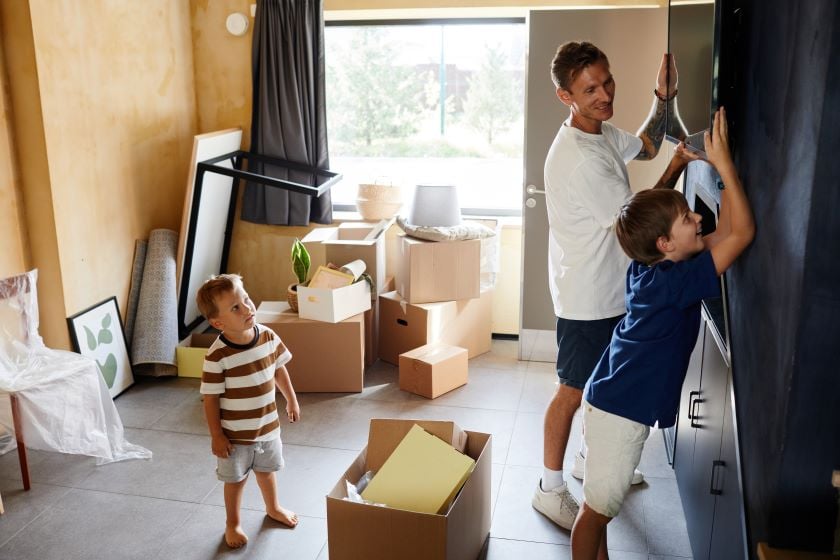
Packing protects against pressure and abrasion; how you handle the TV in transit protects against the physical forces of movement. These steps apply whether you’re moving across a room or across the country.
Always transport a TV upright
Flat-screen TVs, particularly OLED and QLED panels, are not designed to support their own weight when lying on their side. The internal components, including the screen layers themselves, can flex and crack under lateral pressure, especially over a longer journey. Always carry and transport a TV in the same vertical orientation it sits in at home.
Use two people
Even a relatively modest 43-inch TV is awkward to carry safely alone. A second person reduces the risk of dropping, tilting or catching the box on a doorframe.
Secure it inside the moving truck
Inside the vehicle, the TV should stand upright and be secured against a stable surface, ideally strapped to the interior wall of the truck or wedged between solid furniture that won’t shift. Use furniture blankets or moving pads to create padding on either side. The goal is to prevent it from toppling during transportation.
Can you lay a TV flat during a move?
The short answer is ideally no, but the risk varies by TV type.
LED TVs: Modern LED-backlit LCD screens are the most tolerant of being laid flat for short periods, but even these carry risk. The screen can flex under its own weight, and any bumps during transport can cause cracks that wouldn’t happen in an upright position.
OLED TVs: These are the most vulnerable. OLED panels are extremely thin and flexible by design, but that flexibility makes them susceptible to cracking when laid flat over distance. Most OLED manufacturers explicitly recommend upright transport in their documentation. Moving an OLED TV flat is a significant risk, so don’t do it.
QLED TVs: the underlying technology is similar to standard LED, so the same general guidance applies. Avoid laying flat where possible.
Plasma TVs: Older plasma screens are generally more robust in terms of weight distribution, but they’re heavy and should still be transported upright. Gas within the cells can shift when lying flat, though this typically self-corrects after the TV warms up. Laying them flat while moving them is still not recommended practice.
If laying flat is genuinely unavoidable (for example, in a car trunk), cushion the TV extensively on all sides. Check the manufacturer’s documentation for your specific type and model before deciding.
How to move a large TV by yourself (if you really must)
The honest advice is that moving a large flat-screen TV alone, particularly a 65-inch or larger, is genuinely risky and best avoided. But if you have no alternative, there are tools that help.
TV moving straps: Padded shoulder or forearm straps allow a single person to carry a boxed TV by distributing the weight differently, keeping hands free to manage doorways and stairs. They’re widely available from moving supply retailers.
Furniture dolly: A furniture dolly lets you wheel a boxed TV upright across flat surfaces. Secure the box to the dolly with stretch wrap before moving it and have a plan for any steps or thresholds (use a sturdy piece of plywood to improvise a ramp, for example).
Stair-climbing dollies: If stairs are involved, a stair-climbing or step-style dolly makes solo navigation significantly safer than carrying.
Know when not to attempt it. If you’re on your own, dealing with multiple flights of stairs, a narrow corridor, or a 75-inch TV, stopping and waiting for help is the right call.
How to store a TV safely
Whether you’re between homes, renovating, downsizing or relocating temporarily to a different city or country, knowing how to store a TV correctly in self storage will protect it for weeks, months, or longer.
Choose a climate-controlled storage unit
Standard storage units expose your TV to conditions it was never designed to handle:
Humidity: Moisture is the enemy of electronics. High humidity causes condensation inside the unit, which can damage internal circuits, cause corrosion and lead to screen degradation over time.
Heat: Sustained high temperatures can warp internal components, degrade the screen backlight and shorten the lifespan of the display.
Freezing temperatures: Extreme cold causes materials to contract, can crack screens and creates condensation risk when the temperature rises again.
Temperature fluctuations: The damage from constant heating and cooling cycles can be worse than sustained heat or cold on its own.
A climate-controlled self storage unit maintains a stable temperature and humidity level year-round, providing exactly the kind of environment electronics need. Most TV manufacturers recommend storing in a space between roughly 50°F and 90°F with moderate humidity, conditions that a climate-controlled unit is built to maintain.
Keep the TV upright in storage
The same principles that make transporting a TV flat risky apply in storage. Keep it standing upright, either in its original box or in a TV moving box, for the entire duration of storage.
Don’t stack boxes on top
No matter how tightly you’re packing a storage unit, never stack heavy boxes or items on top of a boxed TV. Even well-packaged, sustained downward pressure on a flat-screen panel causes damage over time.
Cover without trapping moisture
A breathable cover — like a clean cotton sheet or a purpose-made electronics storage cover — protects the screen from dust without creating a sealed microclimate that traps moisture. Avoid using plastic sheeting directly against the TV.
Leave some space around the TV
Don’t wedge the TV too tightly between other items in your storage unit. Leave a few inches of space on the sides and especially the back to allow for air circulation and to prevent pressure from surrounding furniture affecting the box.
Common mistakes that damage TVs during a move or while in storage
Most TV damage during a move is entirely preventable. These are the mistakes worth knowing about before you start:
Moving without adequate padding: Bubble wrap and foam aren’t optional. Even a short carry across the room can result in a knock that a padded TV would survive and an unpadded one wouldn’t.
Carrying by the screen: Always carry a TV by its frame. Gripping the screen surface creates pressure points that can damage the panel.
Storing in a garage or shed: Uninsulated spaces expose your TV to humidity, temperature swings, and pests. Use a climate-controlled environment for anything longer than a day or two.
Leaving cables attached: Cables hanging from ports act as leverage points. A cable snagging during transport can pull on an HDMI or power port hard enough to cause internal damage.
Using the wrong size box: A box that’s too large allows the TV to shift and impact the sides. A box that’s too small puts pressure on the frame and screen. Match the box to the screen size.
Moving a TV requires a bit of preparation, but if you follow some basic guidance (packing it adequately and transporting it upright and secure) the chance of damaging it during transportation lowers significantly. If you’re between homes or renovating and your TV won’t be set up straight away, store it in a climate-controlled self storage unit. It protects against moisture, temperature swings and accidental damage, giving you peace of mind that your TV will be ready to go whenever you are.


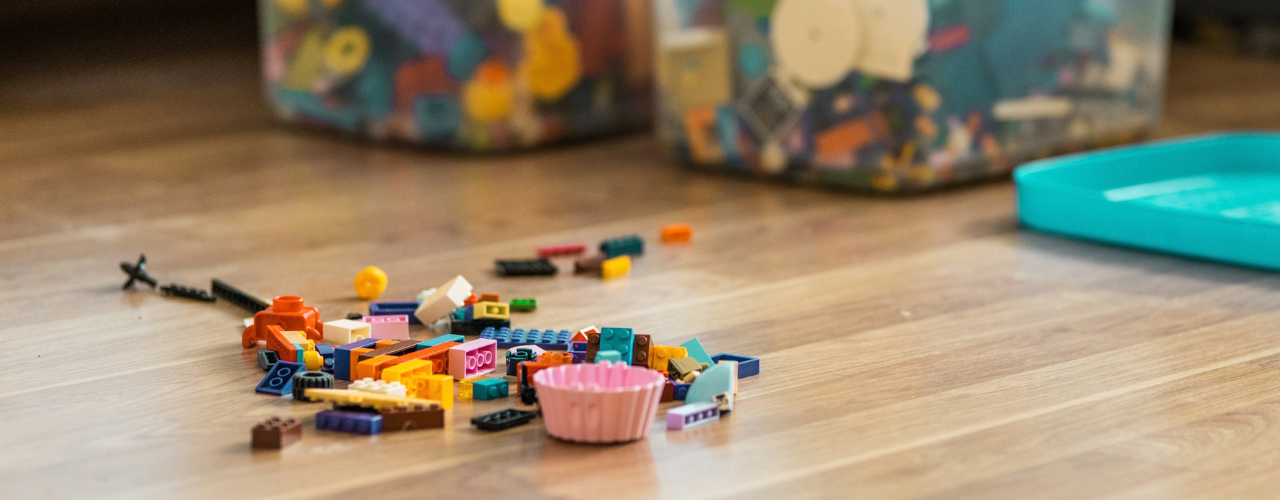
How to Store LEGOs: All the Fun, None of the Clutter
How to store LEGOs largely comes down to how your household uses them. If the bricks are part of everyday play, you need a setup that keeps them within easy reach and makes cleanup quick (for your feet’s sake, at least). Toy storage(opens in new tab) such as simple bins, playmats or containers that children can put away themselves may be enough. Larger or more serious collections usually need more organization, such as labelled drawers for loose pieces, trays for unfinished builds, shelves for completed models and separate storage for retired sets.

Cardboard Costume Guide: Tips and Ideas for a DIY Halloween
Whether for kids or adults, cardboard costume ideas often make the biggest splash once materialized, and that’s for a simple reason: doing a lot with a little is a universally impressive feat (especially in this economy). If you don’t have enough boxes you could temporarily repurpose, don’t worry! There are many places where you can find free moving boxes(opens in new tab), from stores and supermarkets to online groups and recycling drop-off spots. On the run? Try your luck at a self storage(opens in new tab) facility that sells moving supplies, often for cheap. This way, you can choose moving boxes of different shapes and sizes(opens in new tab), so you can make your costumes as complex as you want.

How to Celebrate Halloween: 9 Non-Spooky Ways To Enjoy It
As soon as October starts, it’s the official Halloween month. And while for many people it means it’s open season to get the scare of a lifetime, others, especially families with small children, might prefer to celebrate in a tamer way that’s both kid- and adult-friendly. While you’re likely to find more events where the spook factor is high, here’s how to celebrate Halloween in a not-so-scary way:

Motorcycle Storage Guide: How to Store Your Bike Safely
Motorcycles may be born to be wild, but eventually even the wild ones need somewhere to park. Whether riding season is winding down or your current living situation comes with plenty of square footage for you and less for your bike, motorcycle storage is one of those parts of ownership that doesn’t get as much airtime as the open road.

Halloween Decorating on a Budget (And Cheap Ideas for Everything Elsee)
Halloween has crept a long way from its eerie origins. While All Hallows’ Eve has transformed through the centuries, it wasn’t until the 1930s that trick-or-treating became a tradition in the U.S. and businesses began conjuring up mass-produced Halloween costumes. Now, Halloween is a monster-sized, billion-dollar industry, with a cauldron full of costumes and decorations ranging from the mainstream to the macabre. But is it all really worth your wallet? Maybe, but we’ll let you in on a little secret: You can keep your Halloween decorating on a budget and save on everything else, too. Take this plan and see it through!

Moving From a House to an Apartment: What to Expect, How to Downsize & How Self Storage Helps
For some, moving from a house to an apartment is a financial decision. For others, it’s about simplifying life. Maybe the kids have moved out and half the house sits empty, or you’re approaching retirement and no longer want to spend weekends on repairs. Or perhaps you’ve been weighing the cost of buying a home and wondering whether renting simply makes more sense right now.

Family Heirlooms Overload: How to Handle Family Inheritance Without Regret
Handling family heirlooms after a loss requires managing legal authority, emotional pressure and practical logistics at the same time, and the order you take them on matters more than most people expect.

Blanket Storage: The Right Method for Every Space and Season
Blankets make our lives cozier, and storing them well is what keeps them soft and comfortable in the long run. Knowing how to store a blanket properly means your favorites come out of storage smelling fresh, feeling the same as when they went in, and lasting years longer than they otherwise would.

Board Game Storage Ideas That Keep Your Collection in Fighting Shape
Nobody warns you that getting into board games usually unlocks a second hobby, the much dreaded one that includes figuring out where on earth to put them. One game becomes a few, expansions start spawning beside their base boxes and before long, board game storage requires as much strategy as whatever is waiting on the other side of those lids.